
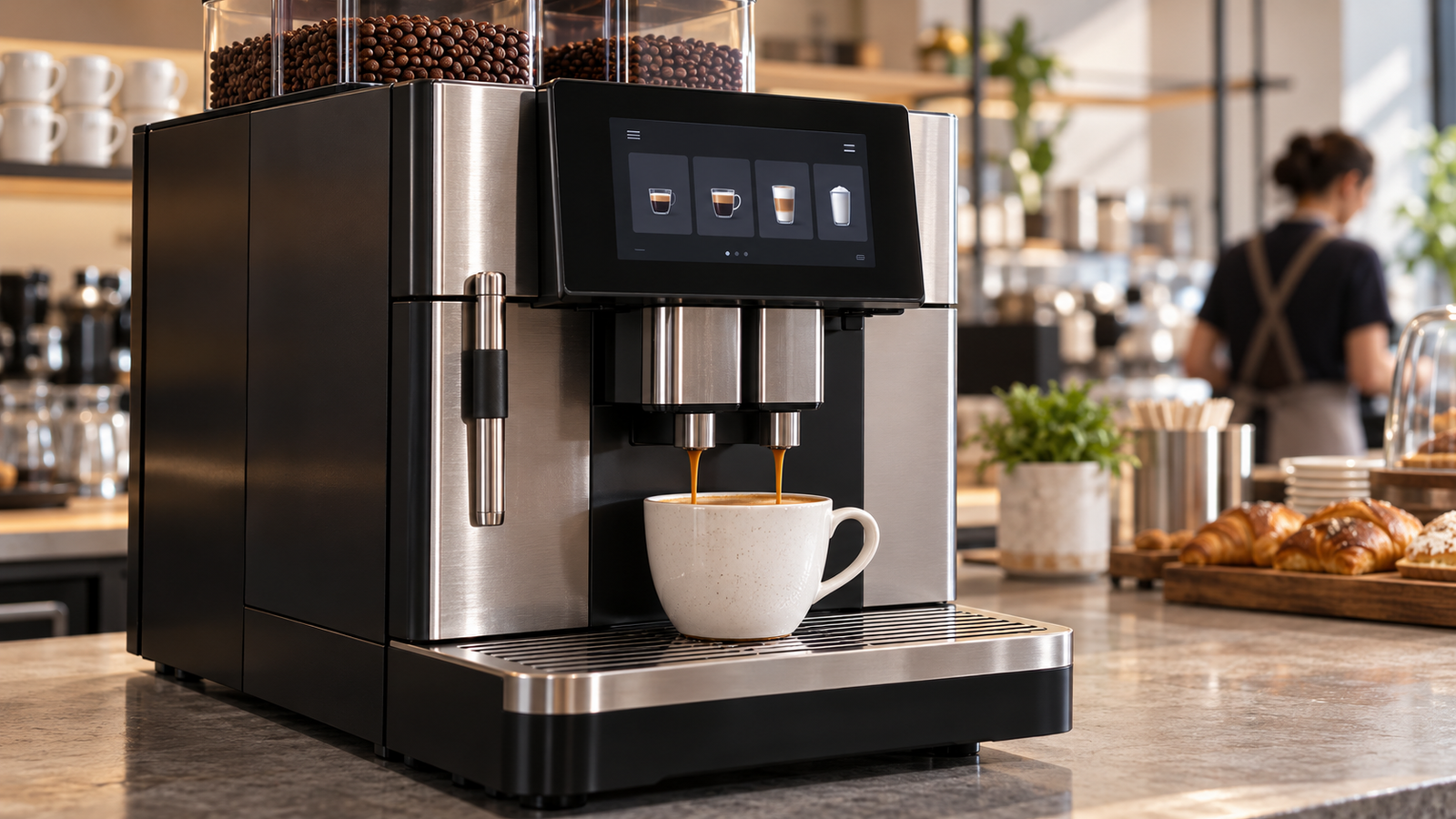
Ein Café fügt eine neue Espressomaschine hinzu. Ein Hotel ersetzt seine Frühstückskaffee-Ausrüstung. Ein Bürobetreiber führt eine Selbstbedienungsstation ein. Jeder Kauf kann eine Präsentationsmöglichkeit schaffen, aber die Schnittstellenaufgaben unterscheiden sich: Ein ausgebildeter Barista benötigt schnelle Steuerung, ein Gast benötigt klare Auswahlmöglichkeiten, und ein Techniker benötigt nützliche Serviceinformationen.
Für Geräte-OEMs ist die wichtige Frage nicht, ob ein Touchscreen modern aussieht. Sie ist welche Betriebsaufgabe das Display rechtfertigt und was die vollständige Schnittstelle für Integration und Wartung kostet.
Dieser Artikel untersucht diese Frage über gewerbliche Espressomaschinen, vollautomatische Geräte, Mühlen und Selbstbedienungsterminals. Veröffentlichte Marktinformationen liefern den Kontext. Segmentvergleiche und Beschaffungsrahmen sind qualitative Analysen, keine Schätzungen des globalen Umsatzes oder Marktanteils von Kaffeemaschinen-Displays.
1. Wachstum im Kaffeeeinzelhandel ist ein Nachfragesignal, keine Display-Prognose
Die öffentliche Zusammenfassung von World Coffee Portal vom 27. April 2026 gibt an, dass der europäische Markt für Marken-Kaffeeläden 57.783 Filialen erreicht hat und über die vorangegangenen 12 Monate um 3,9% gewachsen ist. Die Beschreibung von Project Café Europe 2026 umfasst 50 europäische Kaffeeladenmärkte.[1][2]
| Veröffentlichtes Signal | Was es misst | Was es nicht belegt |
|---|---|---|
| 57.783 Markenfilialen | Gemeldete Größe des europäischen Markennetzwerks für Kaffeeläden. | Unabhängige Cafés insgesamt oder installierte Kaffeeausrüstung. |
| 3,9% Wachstum | Filialwachstum über die im Bericht genannten vorangegangenen 12 Monate. | Geräte- oder Display-Wachstum im Kalenderjahr 2026. |
| 50 abgedeckte Märkte | Geografischer Umfang der Berichtsbeschreibung. | Eine globale Kaffeeausrüstungszählung. |
Der vollständige kostenpflichtige Bericht wurde für diesen Artikel nicht geprüft. Aus seiner öffentlichen Zusammenfassung werden keine zusätzliche Länderaufschlüsselung, Betreiberrangliste oder Geräteprognose abgeleitet.
Filialexpansion schafft einen Anlass, Geräteprogramme zu untersuchen. Sie bestimmt nicht die Anzahl der bestellten neuen Maschinen, ihre Bildschirmkonfigurationen oder die ausgewählten Lieferanten. Ein neues Geschäft kann eine bestehende Geräteplattform nutzen; ein etabliertes Geschäft kann mehrere Geräte ersetzen, ohne einen Standort hinzuzufügen.
Gewerbliche Kaffeeausrüstung dient auch Hotels, Büros, Convenience-Standorten und anderen Einrichtungen außerhalb der gezählten Marken-Cafés. Diese Umgebungen erweitern die potenzielle Kundenbasis, aber ihre Volumina erfordern separate Belege.
Analytische Implikation: Die Display-Nachfrage sollte über OEM-Plattformen und Betreiberbeschaffungspläne bewertet werden. Trennen Sie Neuinstallationen, planmäßigen Geräteaustausch, Produktstufenänderungen und Serviceersatzteile. Die Anwendung des Filialwachstums auf alle vier würde eine falsche Prognose erzeugen.
2. Unterschiedliche Kaffeeausrüstung erzeugt unterschiedliche Schnittstellenanforderungen
Die folgende Segmentierung vergleicht Schnittstellenaufgaben. Sie ist keine gemessene Rangfolge der Segmentgröße oder der Touchscreen-Adoption.
| Ausrüstung | Potenzielle Display-Aufgabe | Kommerzielle Frage |
|---|---|---|
| Traditionelle gewerbliche Espressomaschine | Einstellungen, Betriebszustand und Serviceinformationen darstellen. | Welche Funktionen profitieren von einem Bildschirm, während der schnelle physische Betrieb erhalten bleibt? |
| Vollautomatische Maschine | Getränkeauswahl, Individualisierung, Zubereitung und Pflege führen. | Dient die Schnittstelle dem Personal, Selbstbedienungskunden oder beiden? |
| Gewerbliche Mühle | Rezeptauswahl, Dosierungseinstellungen und Wartungszustand anzeigen. | Können ein kompaktes Display und physische Eingabe den erforderlichen Arbeitsablauf abdecken? |
| Selbstbedienungs-Kaffeeterminal | Auswahlmöglichkeiten, Bestätigungen, Fortschritt und Ausnahmen darstellen. | Was muss ein unerfahrener Benutzer ohne Unterstützung durch das Personal verstehen? |
Espressomaschinen: Häufige Aktionen von Konfiguration unterscheiden
Die wiederholten Zubereitungsaktionen eines Baristas und die gelegentlichen Einrichtungsaufgaben eines Managers müssen nicht denselben Steuerungspfad verwenden. Ein OEM kann detaillierte Informationen auf einem Bildschirm platzieren und gleichzeitig physische Steuerungen für häufige Aktionen beibehalten.
Der Beschaffungsfall sollte identifizieren, welche Informationen während des Service notwendig sind. Ein größerer Bildschirm kann Layout-Freiheit hinzufügen, aber er verbessert nicht automatisch die Geschwindigkeit oder Konsistenz der Zubereitung.
Vollautomatische Maschinen: Der Schnittstellenumfang folgt dem Benutzer
Eine von Personal bediente Maschine kann eine Schulung voraussetzen, die eine gastorientierte Maschine nicht voraussetzen kann. Die Selbstbedienungsversion kann klarere Auswahlmöglichkeiten und Bestätigungen erfordern; die Personalversion kann schnellen Zugriff und wiederholbaren Betrieb priorisieren.
Das Produktmaterial Franke A600 liefert ein konkretes Beispiel für eine gewerbliche Plattform, die einen Touchscreen mit Reinigungssystemfunktionen kombiniert.[3] Dies demonstriert eine Produktarchitektur, nicht die Verbreitung dieser Architektur im Markt.
Mühlen und Terminals: unterschiedliche Informationsdichte
Eine Mühle benötigt möglicherweise nur eine schmale Gruppe von Betriebs- und Konfigurationszuständen. Ein Selbstbedienungsterminal kann eine breitere Auswahlstrecke erfordern. Die Gruppierung unter einer einzigen “Kaffee-Display”-Prognose verbirgt diese Unterschiede.
Erfassen Sie für jede Möglichkeit die erforderliche sichtbare Fläche, die Interaktionsmethode, die Betriebsumgebung und den Softwareumfang. Das gibt dem Lieferanten eine Grundlage für die Prüfung eines bestehenden Moduls, anstatt aus der Gerätekategorie zu raten.
3. Baristas, Selbstbedienungskunden und Techniker benötigen unterschiedliche Bildschirme
Der Benutzer bestimmt, was die Schnittstelle erklären muss. Eine Maschine kann mehrere Rollen unterstützen, aber sie benötigt eine bewusste Grenze zwischen ihnen.
Baristas and operating staff
Staff may repeat the same tasks during busy periods. Test whether the controls remain clear at the actual viewing position and whether important states are visible without navigating away from the normal operating screen.
If a product offers different recipes or settings, define who may change them and how the result is confirmed. Interface convenience should not create ambiguity about the active configuration.
Self-service customers
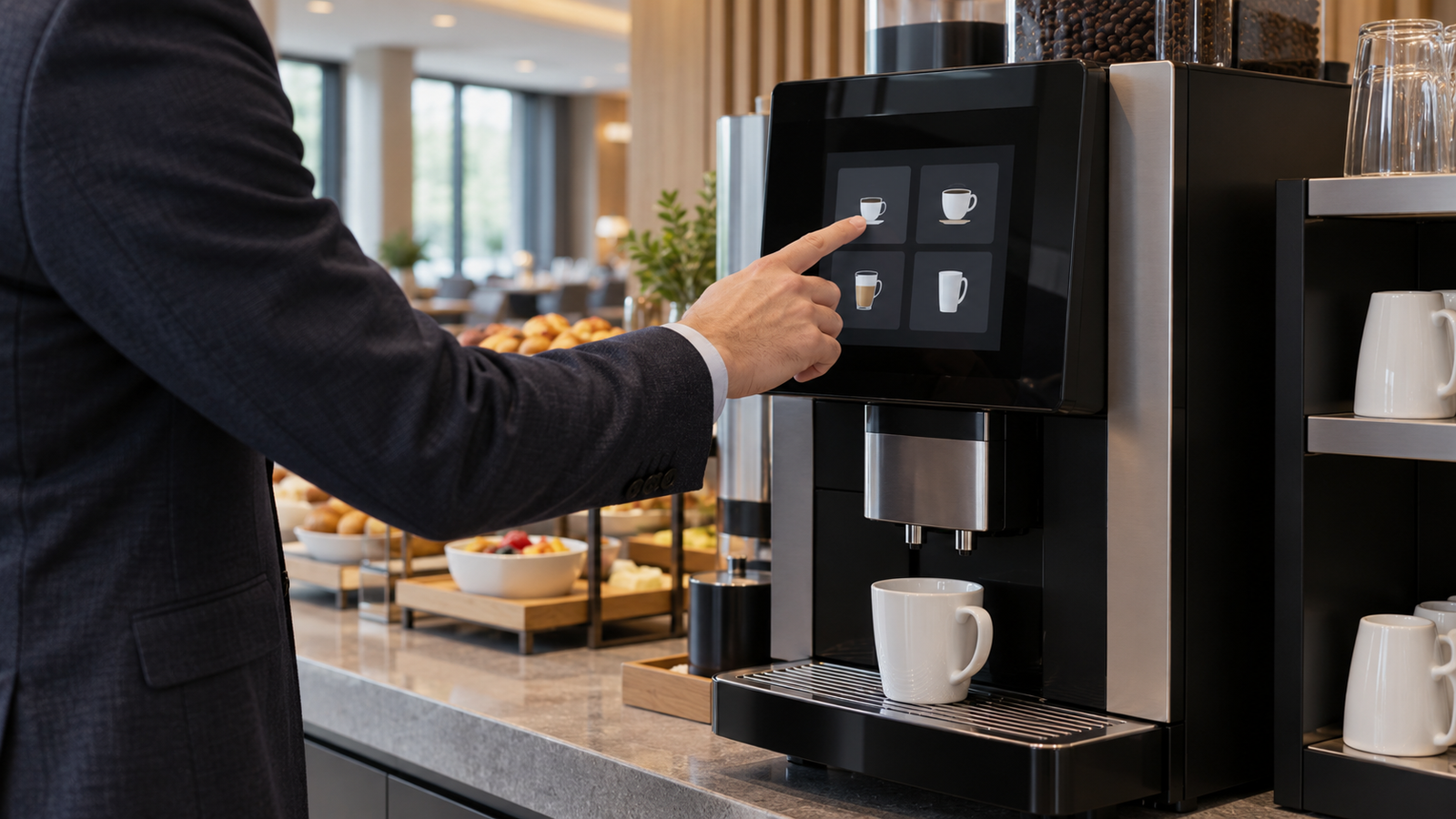
A customer may encounter the machine for the first time. The interface should explain selection, any supported customization, cup placement, preparation state, and the next action.
Those requirements can justify more visual space or touch input. However, a crowded menu can still be difficult to use. Validate representative screens and a complete selection journey before treating screen size as the solution.
Any payment function needs a separately defined system boundary. An LCD or touchscreen does not provide a certified payment service by itself.
Technicians and managers
A service interface can help identify the configuration, fault context, and required next step. A screen that repeats a general alarm without actionable context may contribute little to maintenance.
Define service access, version records, and normal-operation recovery. If public and service functions share hardware, permissions and navigation belong in the software brief.
The commercial implication is to assess interface value by role. Customer presentation and technician access can support different module configurations even within one OEM’s product family.
4. Touchscreens, Physical Controls, and Hybrid Interfaces
Touch is an option, not a universal upgrade. The relevant comparison is how each arrangement supports the intended tasks.
| Arrangement | Potential strength | Question to validate |
|---|---|---|
| Touchscreen | Flexible choices and context-dependent actions. | Are targets usable under actual viewing, contamination, and cleaning conditions? |
| Physical buttons | Dedicated access to repeated actions. | Can the labels and state feedback cover the required variants? |
| Rotary input with display | Compact selection and setting adjustment. | Is navigation understandable and confirmation clear? |
| Hybrid interface | Physical frequent controls plus richer screen information. | Do the channels present consistent state and avoid competing actions? |
A touchscreen can accommodate changing menus, but a software change still needs validation. A new language, longer message, or additional drink option can affect layout and target size without changing the panel hardware.
Physical controls may be appropriate for repeated tasks. Their suitability depends on access, feedback, cleaning, and mechanical integration. Avoid assuming that one control type always has a lower lifecycle cost.
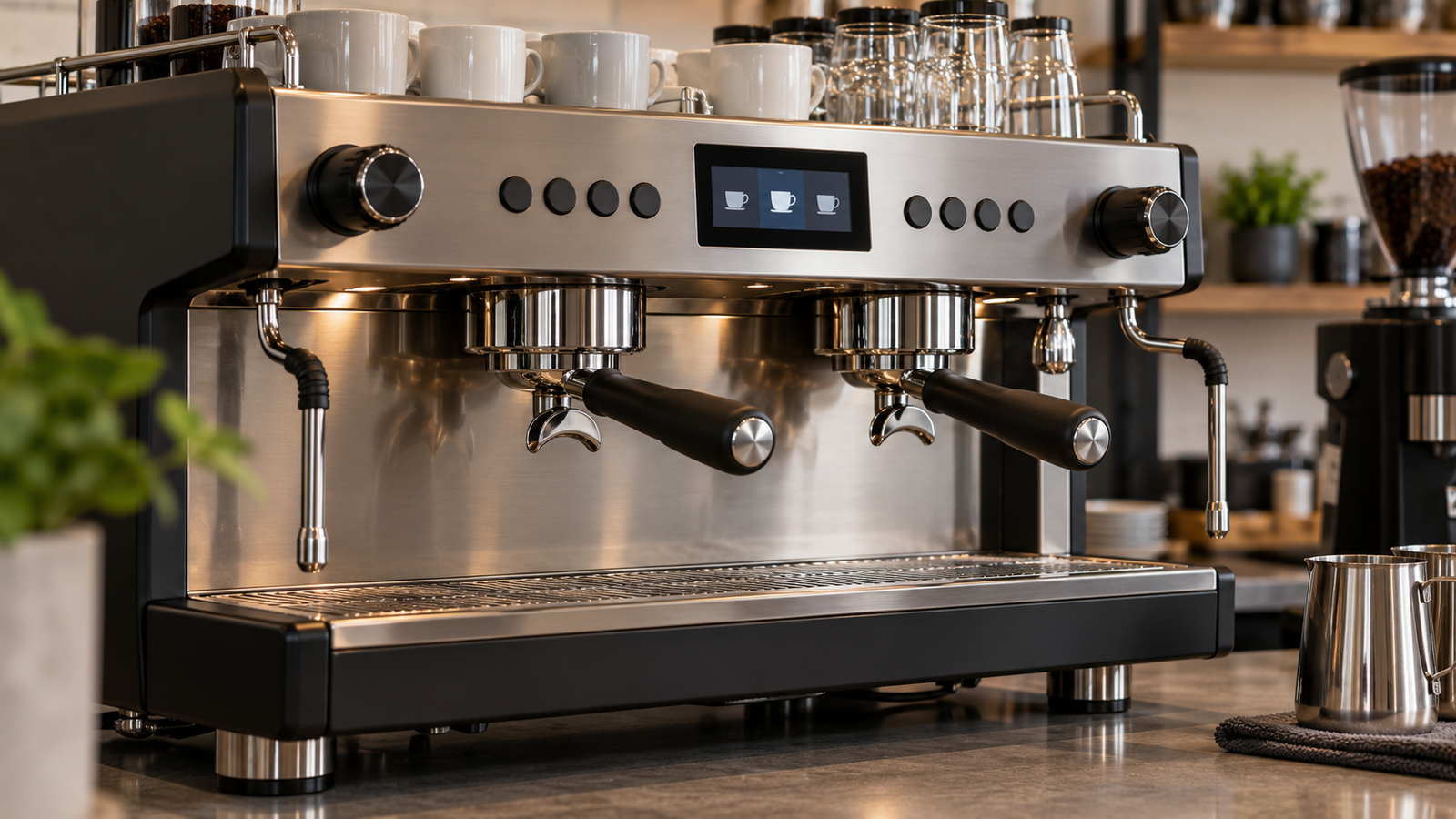
A hybrid design can separate frequent actions from settings and care instructions. It also adds coordination work: the screen, buttons, and underlying machine state must remain consistent.
Format follows the interface. A round display may suit a compact selection control, while a rectangular display may provide more straightforward space for a larger menu. RJY’s Auswahlleitfaden für runde LCDs explains the engineering review behind that choice.
For market planning, track the selected input architecture and the product tiers that use it. Do not count an optional touchscreen across an entire machine range until the OEM confirms its allocation.
5. Cleaning and Maintenance Can Strengthen the Interface Business Case
The interface value continues after a drink is prepared. Cleaning, replenishment, and maintenance can create information tasks that deserve attention during product planning.
Franke publishes machine-specific cleaning instructions, including A600 guidance.[4] WMF’s 1500 S+ operating instructions include locking the touchscreen with its CleanLock function before cleaning.[5] These are model-specific examples of care workflows, not requirements or features shared by every coffee machine.
An OEM can investigate whether on-screen instructions help users identify the correct procedure, understand progress, and confirm completion. That is a testable benefit. It should not be presented as a proven reduction in downtime or labor without supporting results.
Likewise, an interface indication is not proof of hygienic cleaning. The approved equipment procedure, cleaning materials, and system behavior determine the result. The display communicates the process; it does not replace it.
Define the interaction state during wiping and cleaning. Where unintended input is possible, establish how the approved design controls it. Do not assume that every controller can detect wet conditions or support a cleaning lock.
For the physical assembly, confirm the intended cleaning materials and exposure conditions with the supplier. Touch, cover, bonding, enclosure, and sealing need review together. Neither capacitive touch nor a glass front establishes chemical resistance or ingress protection.
The commercial opportunity is a useful, validated workflow with a suitable assembly. A display premium should correspond to that scope rather than to a general claim of “smart maintenance.”
6. Wo Custom-Display-Lieferanten Mehrwert bieten können
Customization should solve a specific integration constraint. An existing TFT LCD module is often the starting point; adaptation scope then follows the product requirements.
Front-panel fit and appearance
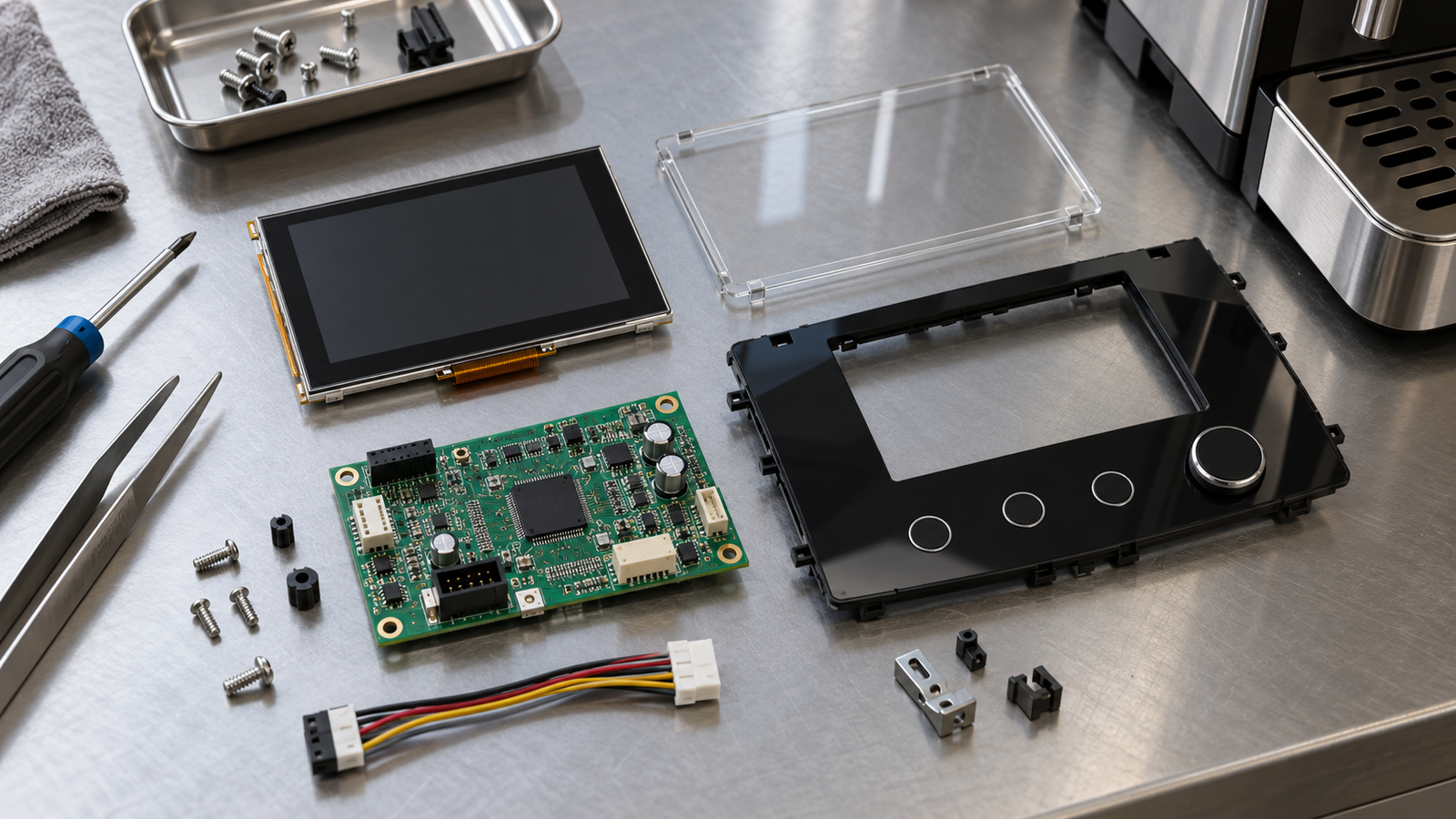
Review the visible window, border, cover, mounting, depth, and cable exit as one assembly. The same nominal diagonal can produce different mechanical results across modules.
A common display core with defined cover or mounting variants may support several equipment tiers. Feasibility needs confirmation. This does not imply that an entirely new LCD size can be developed for every project.
Touch and controller-board matching
Touch input needs its own controller, connection, and software review. Confirm gestures, target layout, cover construction, and intended use conditions before selecting an assembly.
For the image path, verify the exact panel, interface, connector definition, timing, power, and host implementation. An interface label such as MIPI or LVDS does not establish compatibility by itself.
Agree on software responsibility. Menu localization and application design differ from panel initialization and board firmware adaptation. They also differ from custom OSD menus, which should not be assumed as an RJY capability.
Production consistency and change control
Identify the approved panel, touch, cover, board, and firmware versions. Define which substitutions need review and which representative tests must be repeated.
Platform reuse can reduce separate integration efforts when requirements align. Standardizing one module too early can also create compromises in smaller enclosures or different viewing positions.
The supplier’s value lies in a defined scope and a repeatable production path. It should not be inferred from unsupported promises about universal compatibility, faster drink preparation, or improved brewing quality.
7. Procurement Risks and an OEM Decision Framework
Retail expansion, equipment purchasing, and display orders occur at different stages. A café opening plan does not establish an approved module order.
For display suppliers, the main risks to investigate are product-tier changes, cost pressure, uncertain release timing, unconfirmed replacement cycles, and concentration in a small number of OEM platforms. These are planning questions, not quantified claims about the current industry.
| Entscheidung | Erforderliche Nachweise | Warum es wichtig ist |
|---|---|---|
| Interface scope | User roles, frequent tasks, and information states. | Justifies screen and input requirements. |
| Equipment allocation | Modules per model and confirmed tier options. | Prevents unsupported attachment assumptions. |
| Integrationsgrenze | Panel, touch, cover, board, and software responsibilities. | Makes quotation scope comparable. |
| Validation readiness | Repräsentatives Gehäuse, Host-Software und Nutzungsbedingungen. | Defines the work before production approval. |
| Produktionsplan | Release milestones and purchasing schedule. | Separates a forecast from a commitment. |
| Service scope | Replacement procedure, version control, and justified spares. | Supports lifecycle cost assessment. |
Build quantity scenarios from actual machine platforms. Separate new production, optional configurations, and service orders. Update assumptions when an OEM selects or removes a screen-equipped tier.
A chain operator’s installed equipment can offer replacement context, but replacement timing must be established. Counting every machine as an immediate display opportunity would exaggerate the accessible market.
Compare equivalent products: a bare panel, touch-and-cover assembly, display with active controller, and complete HMI are different scopes. Include adaptation, validation, assembly, and service work when comparing alternatives.
Use representative menus and operating states during review. Check selection, cancellation, care instructions, fault presentation, startup, and recovery. A successful bench image is an early milestone, not complete equipment validation.
For persistent status or menu content, RJY’s LCD-Bildretentionsleitfaden provides additional display-validation context.
The practical outlook is selective. Fully automatic and self-service equipment are reasonable candidates where clear local choices are essential. Espresso machines and grinders can also offer repeatable programs with narrower display functions. This is a qualitative prioritization, not a measured ranking of screen revenue.
The strongest opportunity combines a useful interface task, feasible integration, and a credible production or service plan. That is where coffee-sector activity becomes an actionable display program.
8. FAQ
Kann das Wachstum von Marken-Cafés als Wachstum des Kaffeemaschinen-Displaymarktes verwendet werden?
Nein. Verkaufsstellenanzahlen identifizieren keine Geräteanschaffungen, Bildschirme pro Maschine, Produktstufenentscheidungen oder Ersatzzyklen. Der Display-Bedarf erfordert Informationen zu OEM- und Betreiberprogrammen.
Braucht jede gewerbliche Kaffeemaschine einen Touchscreen?
Nein. Tasten, Drehregler, einfachere Displays oder Hybridschnittstellen können für bestimmte Aufgaben geeignet sein. Die angemessene Wahl hängt von den Benutzern, dem Betriebsablauf und dem Gerätedesign ab.
Beweist ein größeres Display eine schnellere Bedienung oder eine bessere Kaffeequalität?
Nein. Diese Ergebnisse erfordern Nachweise vom vollständigen Gerät und dessen Betrieb. Die Siebgröße allein belegt weder Effizienz noch Konsistenz oder Brühleistung.
Kann die Reinigungsanleitung Investitionen in eine reichhaltigere Schnittstelle rechtfertigen?
Es kann einen Business Case unterstützen, wenn es Anwendern hilft, definierte Pflegeaufgaben zu erledigen. Jeder behauptete Nutzen sollte validiert werden, und eine Bildschirmanleitung ersetzt nicht das genehmigte Reinigungsverfahren.
Was sollte ein OEM für einen Präsentationsvorschlag für Kaffeeausrüstung bereitstellen?
Geben Sie den Gerätetyp, die Schnittstellenbenutzer und -aufgaben, die Anforderungen an Bedienfeld und Host, den Eingabebedarf, die Einschränkungen für Abdeckung und Gehäuse, die Reinigungsbedingungen, den Softwareumfang, den Produktionsplan und die Serviceerwartungen an.
Discuss Your Coffee Equipment Display with RJY
RJY Display unterstützt TFT-LCD-Module, Controller-Board-Anpassung und kundenspezifische Anpassungen auf Basis bestehender Module, einschließlich Touch, Cover Glass, Firmware und mechanischer Abstimmung gemäß Machbarkeit. Share your coffee-equipment display requirements with the interface tasks, host, enclosure, operating conditions, and expected production. Specific compatibility and customization scope require project review.
Referenzen
Sources reviewed on October 14, 2026. Retail statistics come from public report descriptions and summaries; the full paid market report was not reviewed. Manufacturer examples illustrate individual product features, not market-wide adoption or equivalent RJY capabilities. Interface comparisons and procurement frameworks are qualitative analysis.
- World Coffee Portal: Economic Pressures Challenge the Status Quo in Europe’s 57,000-Store Branded Coffee Shop Market, April 27, 2026. Public summary.
- World Coffee Portal: Project Café Europe 2026. Public report description.
- Franke Coffee Systems: A600 Fully Automatic Coffee Machine. Product example; specifications can vary by generation and configuration.
- Franke Coffee Systems: Cleaning Instructions.
- WMF: 1500 S+ Operating Instructions. Model-specific cleaning guidance.